
The platform
One platform to run every LSA account.
Leads, calls, AI review, reports, locations and multiple accounts — the full operation in one place. Already running in production.
Dashboard
Every metric that matters, per account.
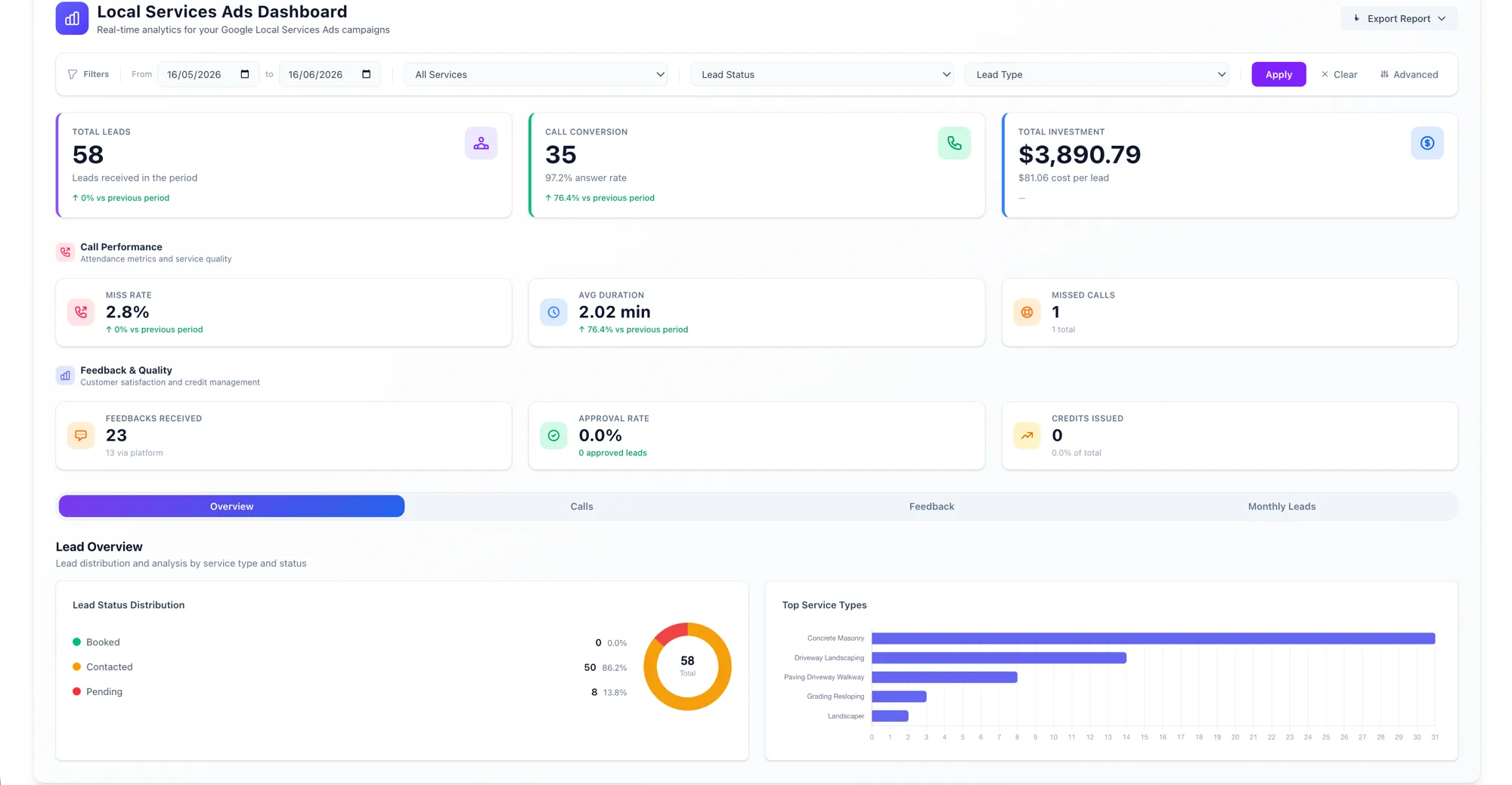
Real-time analytics for your Google Local Services Ads: leads, call conversion and answer rate, total investment and cost per lead, miss rate, average duration and missed calls — plus feedback quality, approval rate and credits issued.
- ✓ Lead status distribution and top service types at a glance
- ✓ Overview, Calls, Feedback and Monthly Leads views
- ✓ Filter by date, service, lead status and lead type
- ✓ Export the full report in one click
Call analysis
Understand every call without listening to all of them.
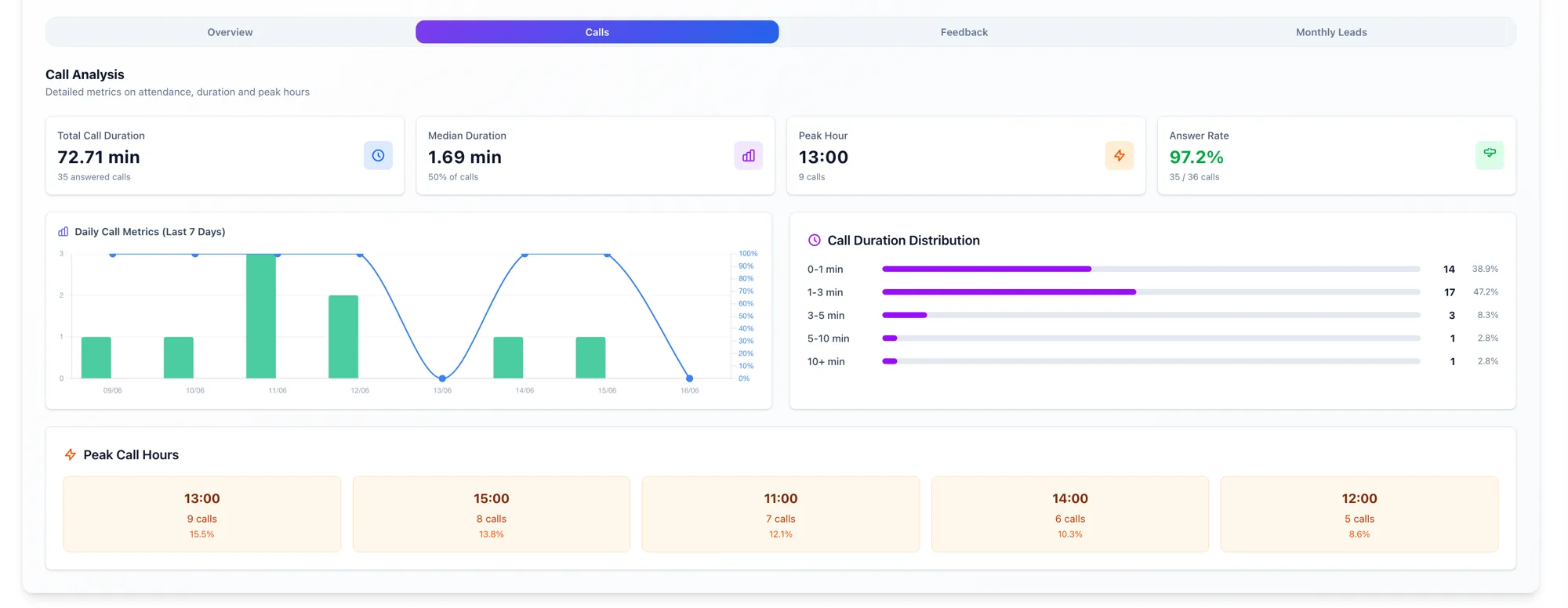
Total and median call duration, peak hours, answer rate, daily call metrics and a full duration distribution — so you see where leads (and missed calls) actually happen.
Leads
Every lead, with the full story attached.
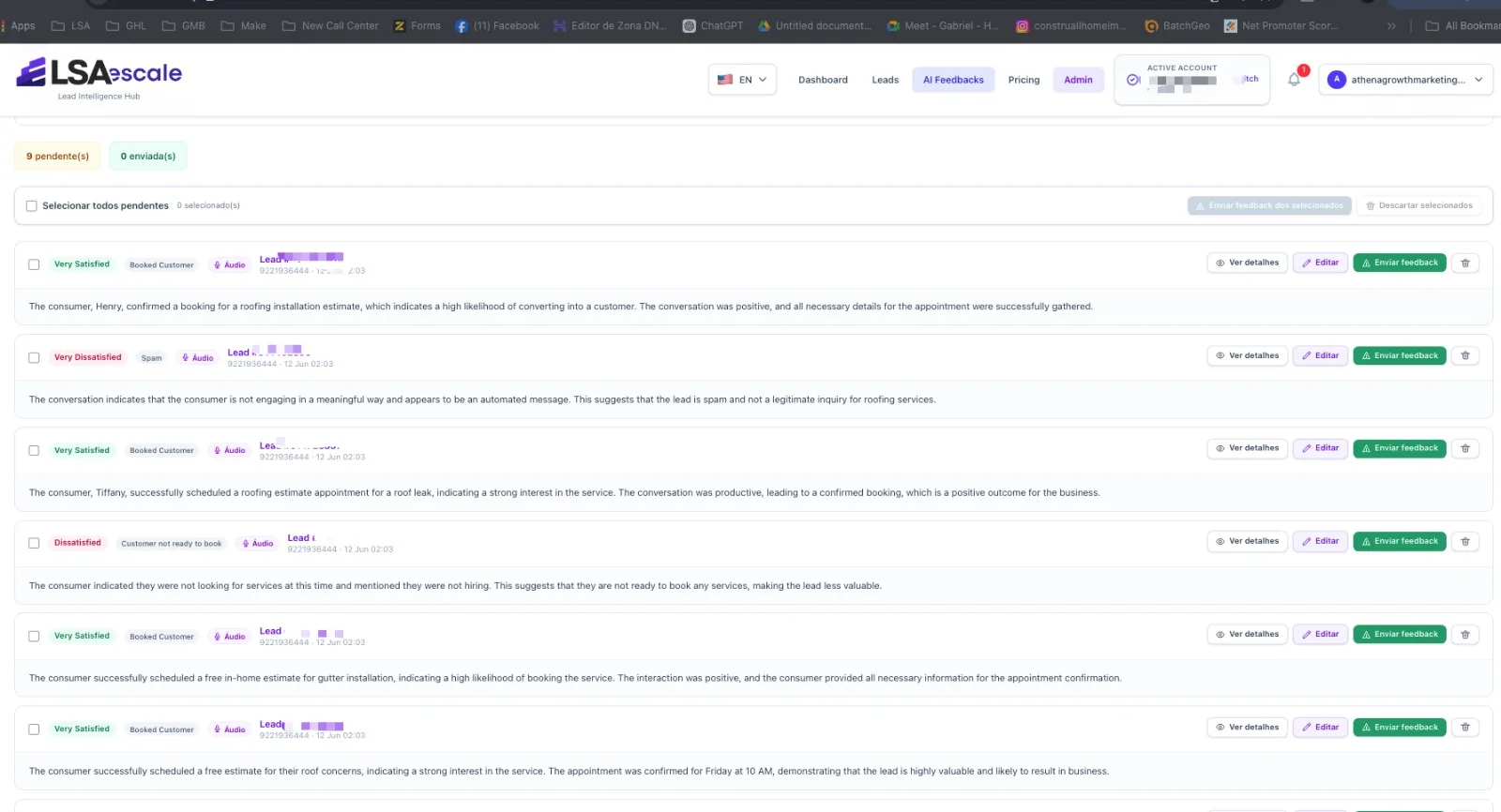
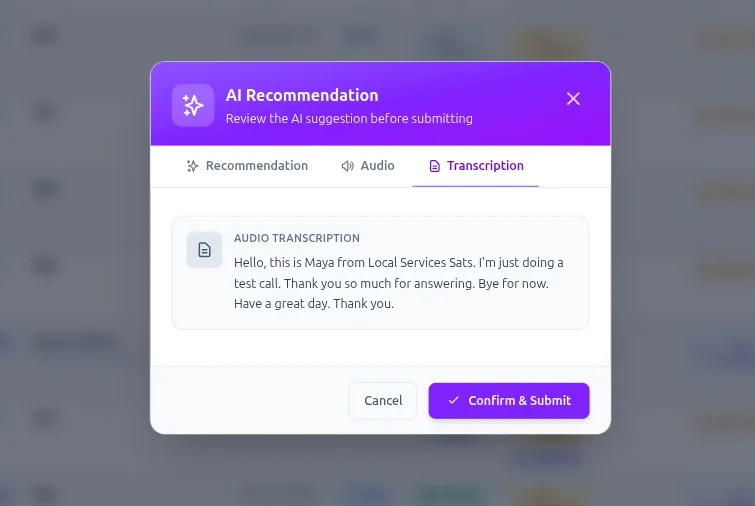
Open any lead to see the call recording, the AI transcript, the charge status and the full conversation thread in one place — then set or confirm the rating and send feedback to Google without leaving the page.
- ✓ Call recording and AI transcript side by side
- ✓ Charge status: charged, credited, in review, rejected
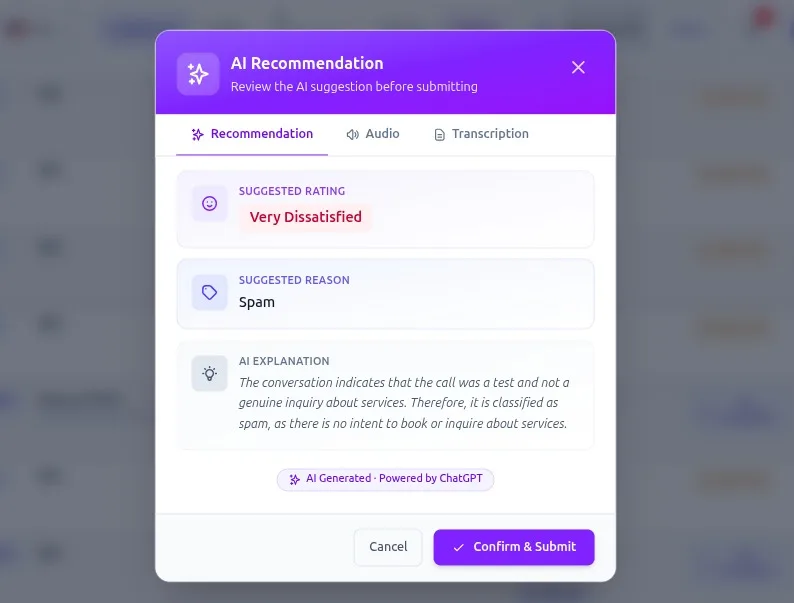
- ✓ AI-suggested rating with a plain-English reason
- ✓ Commit feedback to Google in one click
AI feedback
AI reviews your leads and rates them — you stay in control.
Review on demand
Analyze any conversation with one click. The AI suggests a rating (satisfied, dissatisfied, spam, booked customer…), a reason, and a plain explanation. Edit, commit, or discard — and send approved feedback straight to Google. Bulk-select to handle dozens at once.
Works on both call (audio) and message leads, with a full audit of who edited and committed each one.
Auto AI Feedback
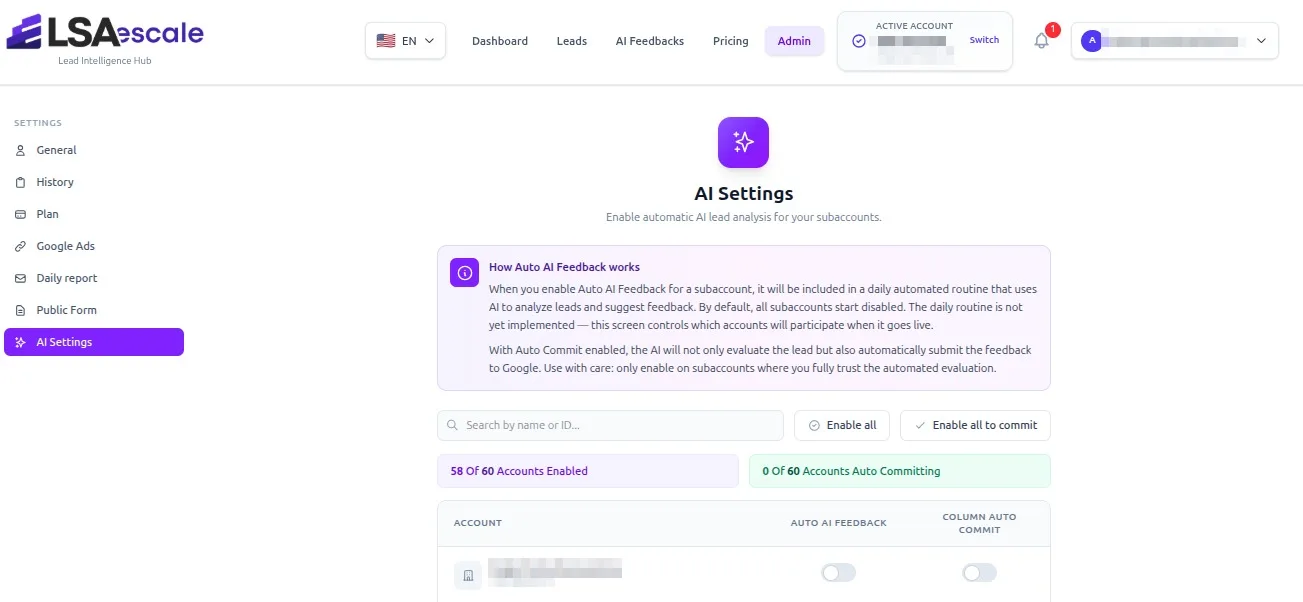
Enable Auto AI Feedback on a sub-account and it joins a daily automated routine that uses AI to analyze leads and suggest feedback.
Turn on Auto Commit and the AI also submits the feedback to Google automatically.
Use with care: only enable on sub-accounts where you fully trust the automated evaluation.
Reports
A clean report in every client's inbox, daily.
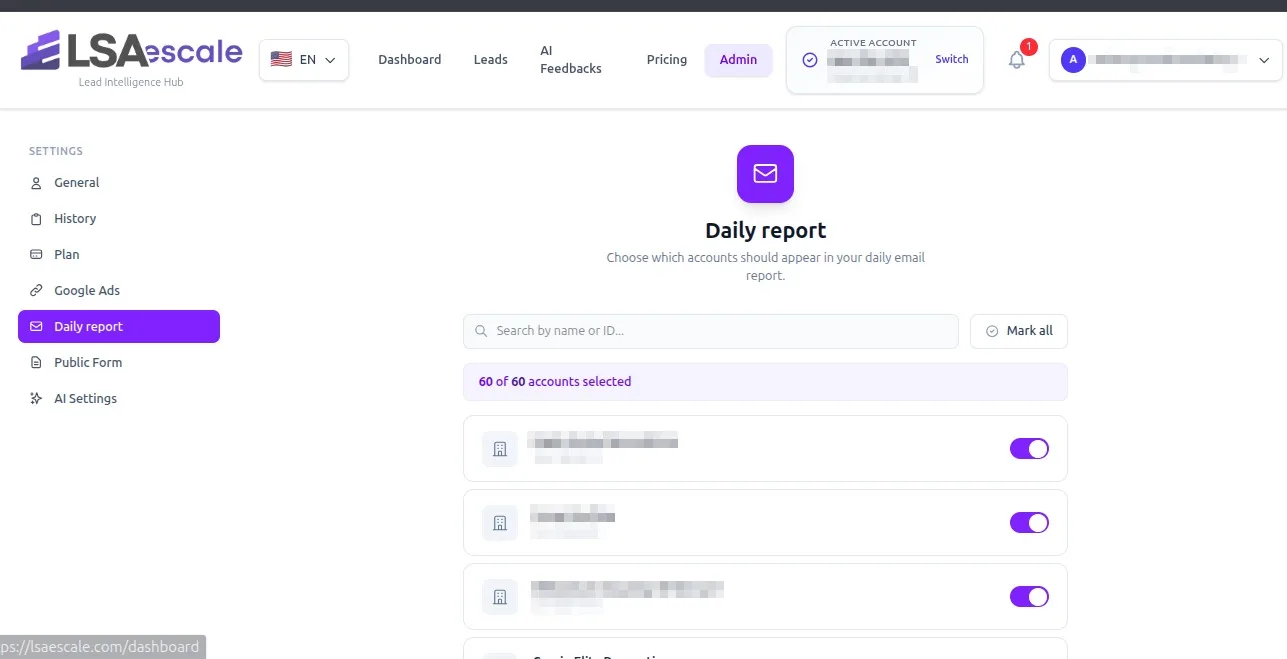
Pick exactly which accounts go into the daily report. Each client gets a clear per-account summary — leads, calls and spend — without you exporting or formatting anything by hand.
Locations
Update service areas in bulk — straight to Google.
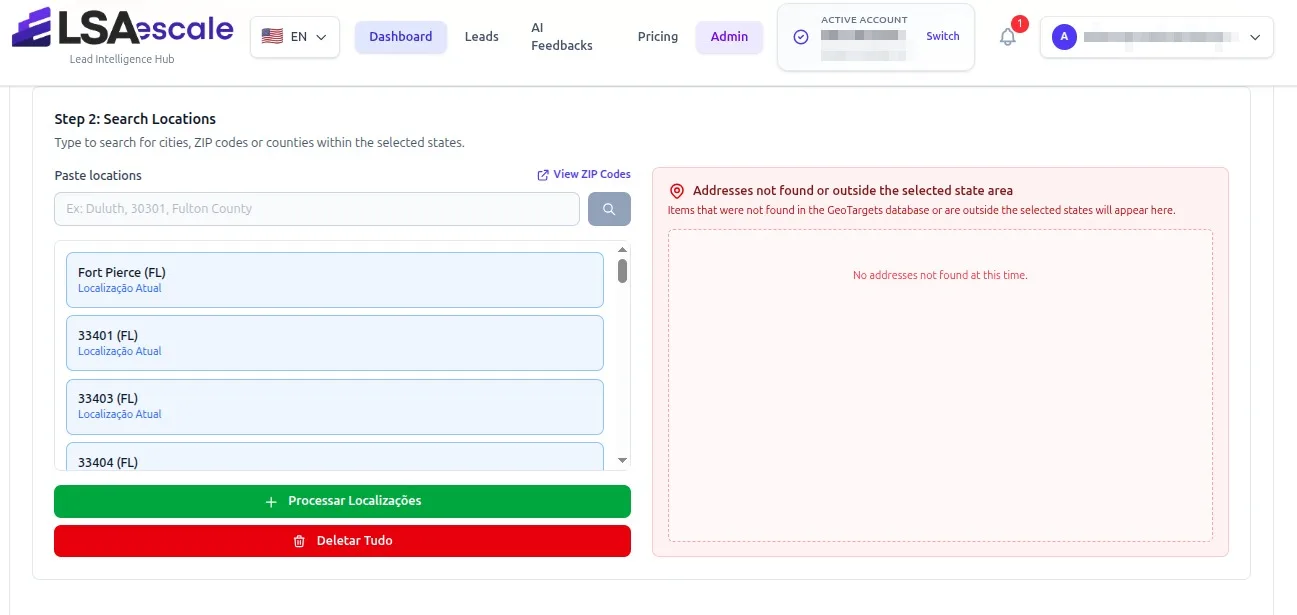
Paste a list of cities, counties or ZIP codes, pick the states they belong to, and push them to Google Local Services Ads in one pass. No more adding service areas one by one across dozens of accounts.
- ✓Paste cities, ZIP codes or counties at once
- ✓Validate against states before sending
- ✓Flags anything not found or outside the selected state
- ✓See and manage current locations per account
And everything else the operation needs
Unified leads & conversations
Every call and message lead in one table — with charge status (charged, credited, in review, rejected, not charged), feedback state, and the full conversation thread. Listen to calls or read messages without leaving the page.
Multi-account & permissions
Connect through the Google Ads API with MCC validation, switch between accounts and sub-accounts in a click, and control who can do what with role-based permissions.
Daily email reports
Choose exactly which accounts appear in your daily report. Each client gets a clean per-account summary in their inbox, automatically.
Client onboarding form
Share a public “Service Match” form so clients pick the exact verticals and services they want to run — no back-and-forth email.
Activity history & audit
Every action is logged — who rated which lead, who switched accounts, who committed feedback — so nothing happens without a trail.
Exports your clients trust
Export any account to CSV, Excel, PDF or JSON in one click — reporting that takes seconds, not your whole week.